
The navigation app built for drivers.
Turn-by-turn with live traffic, plus the alerts other map apps leave out — police, hazards, speed cameras, police aircraft and shared radar detector hits. Drive with friends, plan trips, ask the BOT, time your runs.
Free · iPhone and Android · Works with Apple CarPlay and Android Auto
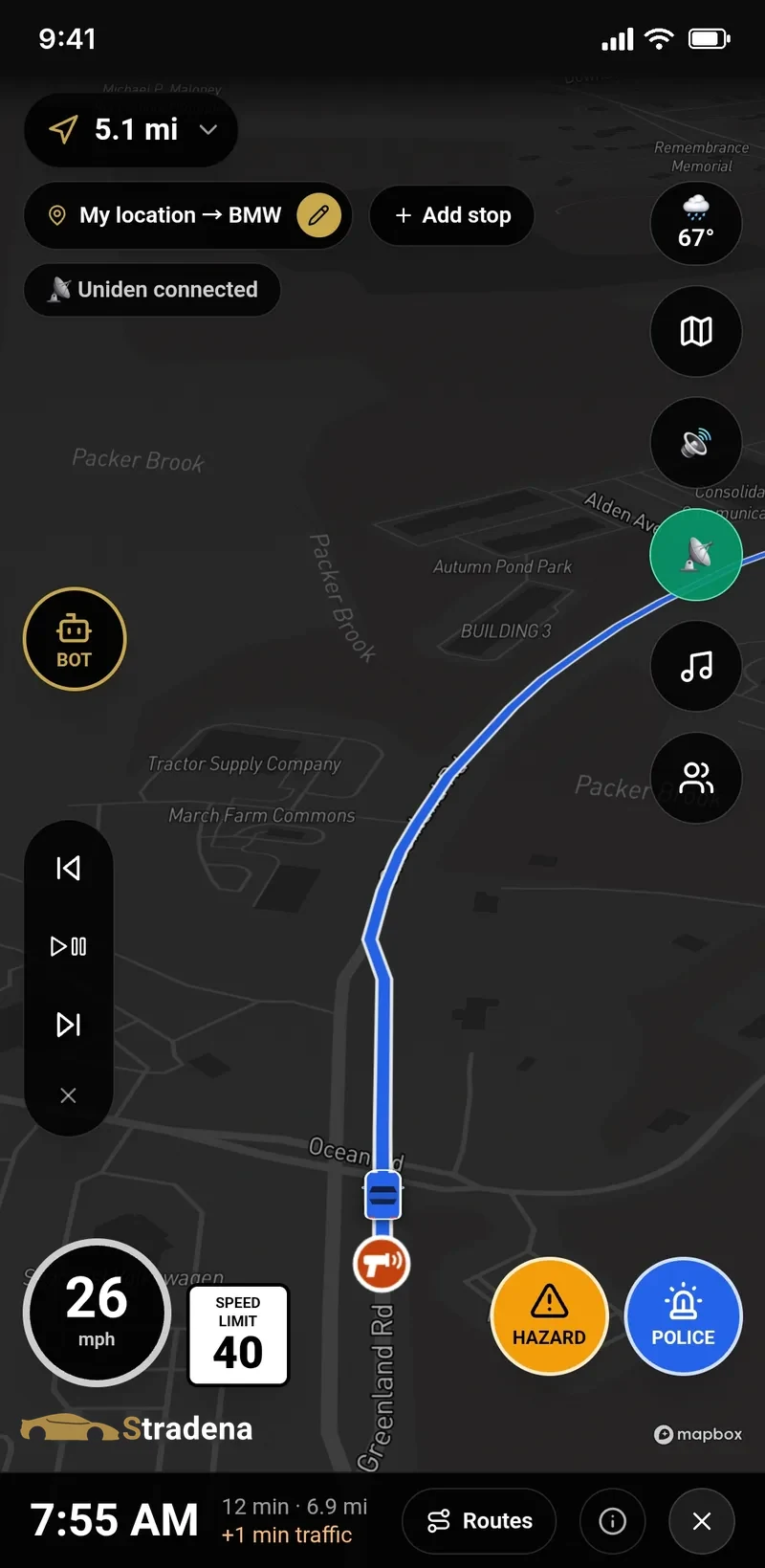
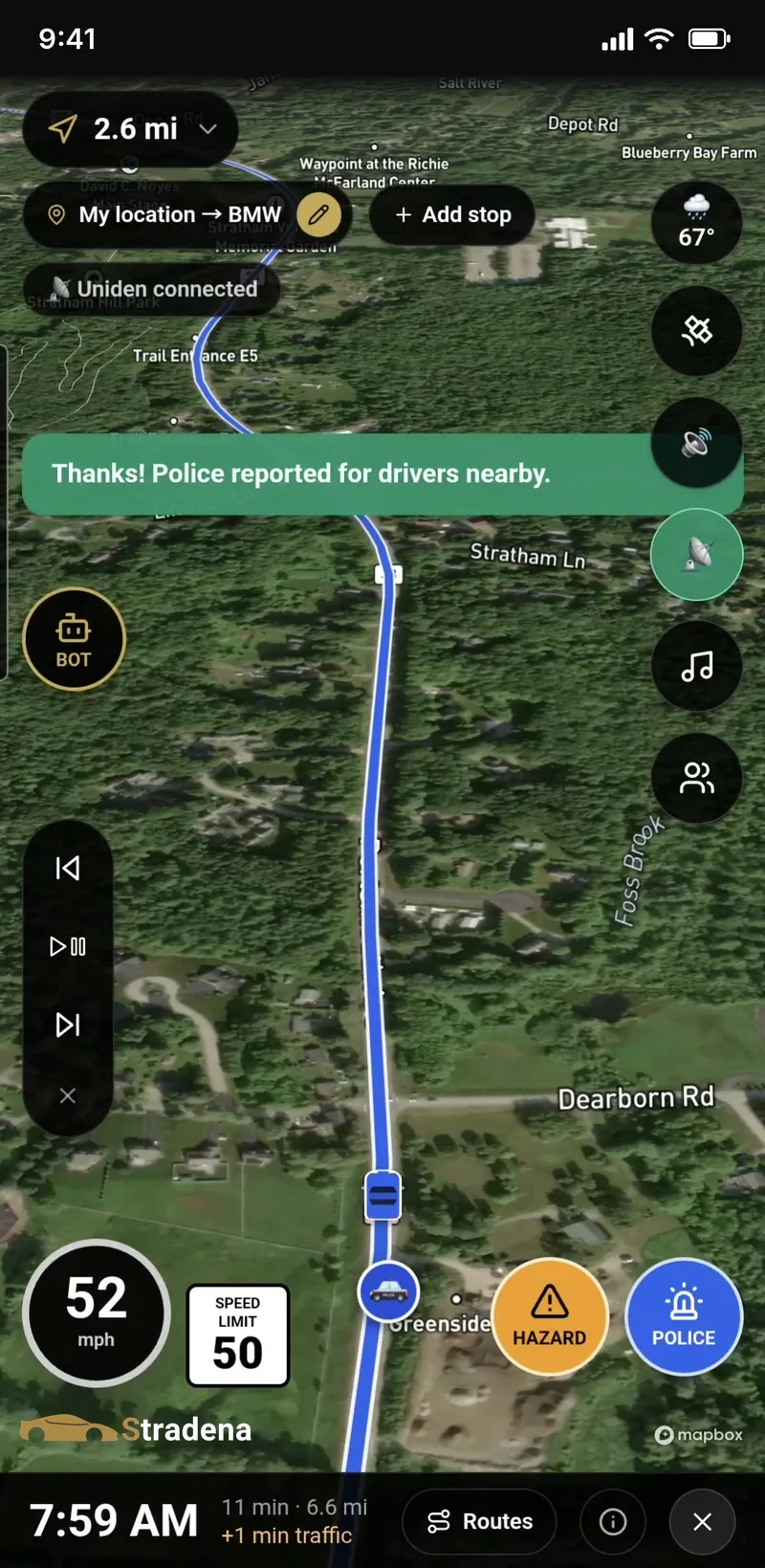
Know what's ahead — police, hazards, cameras and aircraft
Drivers report police and hazards with one tap, and everyone nearby gets the heads-up. Nav also warns you about speed and red-light cameras, and when a police plane or helicopter is flying low near you.
- Police and hazard reports from nearby drivers — confirm “still there” or “gone” as you pass
- Police aircraft alerts: 1,000+ US police planes and helicopters
- Speed and red-light camera alerts, with the enforced limit when known
- Your speed next to the posted limit
Not every police aircraft broadcasts its position — drive safely and follow posted limits.
Your radar detector, connected — and shared
Pair your Bluetooth radar detector and its alerts show up right in Nav. When it picks up real police radar or laser, the spot becomes a pin for the drivers behind you — even if they don't own a detector.
- Uniden R4w, R8w and R9w, and Valentine One Gen2
- Band, signal and direction on screen
- Police radar and laser hits shared as pins; K-band noise never is
Radar detectors are illegal in Virginia, Washington D.C., in commercial vehicles over 10,000 lb and on military bases.
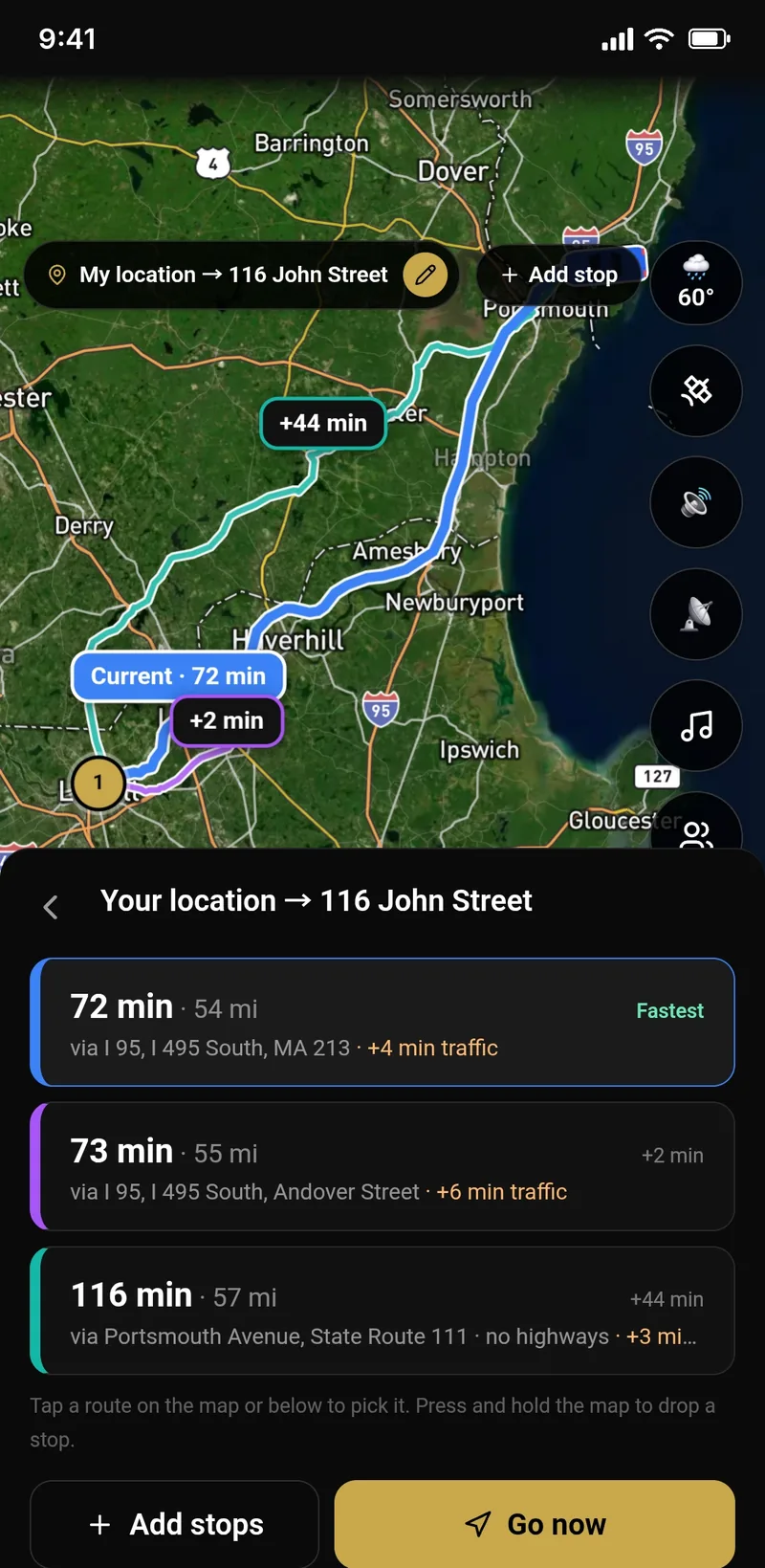
Up to three routes, live traffic on every one
Spoken turn-by-turn, lane guidance, a route that changes color with traffic, and your choices side by side. Avoid tolls, highways, ferries or unpaved roads, and add gas, coffee or food along the way in a tap.
- Up to 3 route choices with the time difference
- Lane guidance before turns and exits
- Multi-stop routes, favorites and recent places
- Reroutes on its own if you miss a turn — and resumes an unfinished drive
- Offline maps for no-signal roads
- Weather on the way and a warning when rain is ahead
Drive together, plan a trip — and run a rally
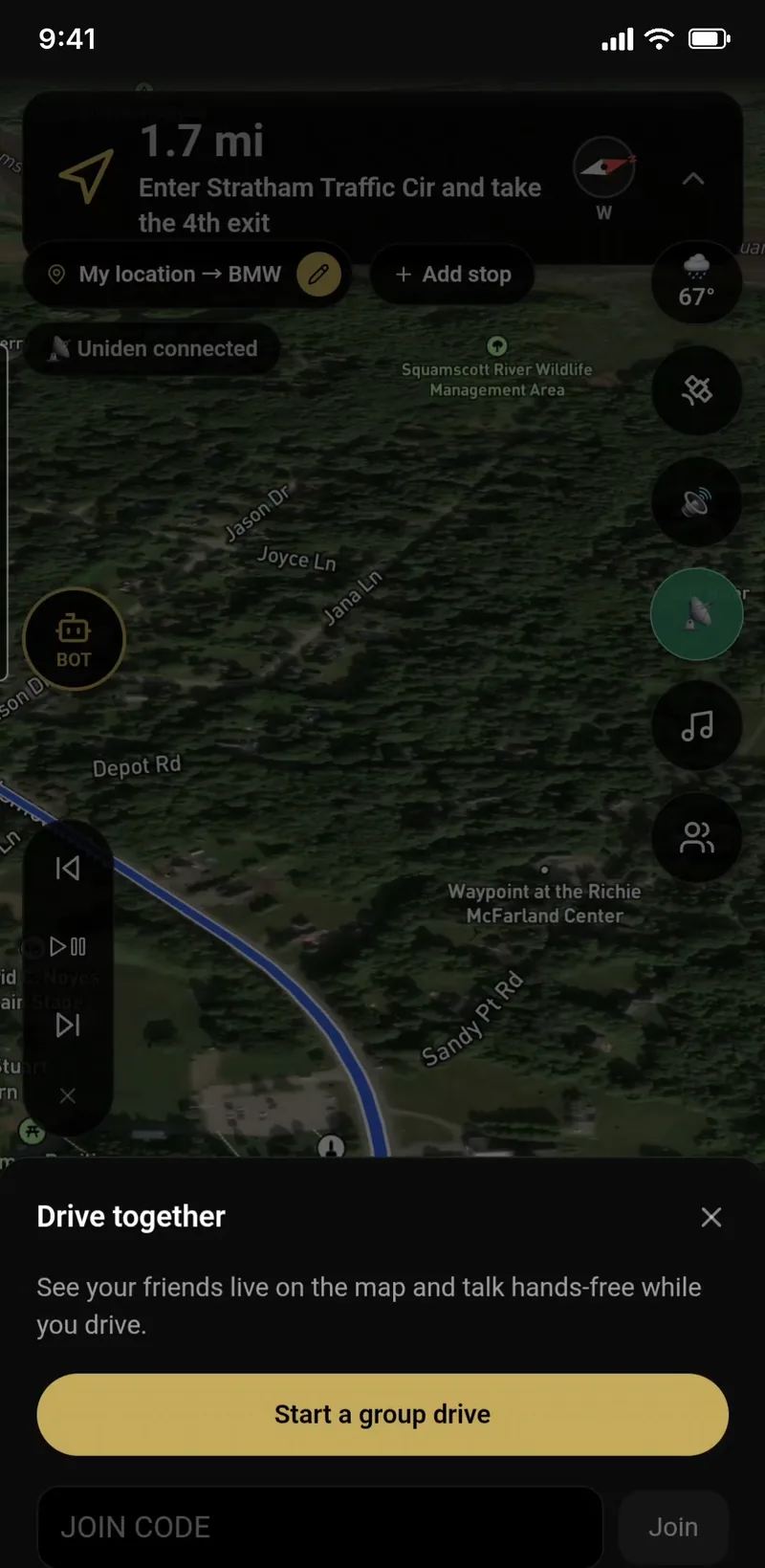
Start a group drive, share a code and see everyone live on the map, with a group chat and walkie-talkie voice messages. Planning ahead? Make a Trip with a date, a starting point and stops, and drive it together on the day. Joining a GPS checkpoint rally? Drive mode guides you checkpoint to checkpoint and checks you in automatically.
- Friends live on the map with a 6-letter code or link
- Group chat and tap-to-talk voice messages
- Trips with a shared photo and video gallery
- Free GPS rallies with automatic check-ins and live standings
An AI co-pilot you can talk to
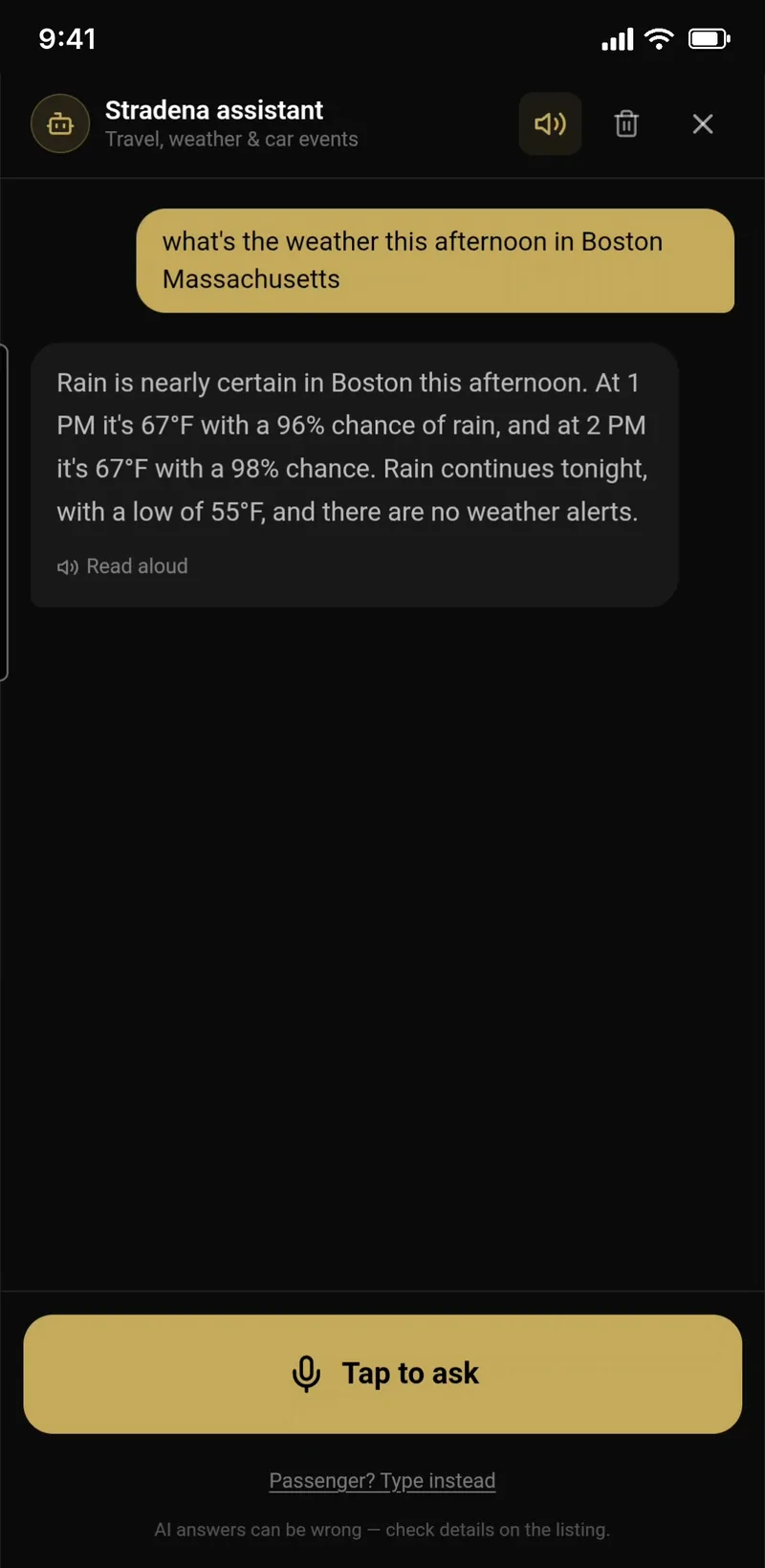
Tap BOT and ask out loud — drive time with traffic, the weather ahead, road closures, food, gas or sights nearby, or car events near you. It answers out loud, and one tap adds any place to your route.
- “How long to Lime Rock if I leave now?”
- Food, gas and sights near you or your next stop
- Car events, tracks, shops and scenic drives from Stradena
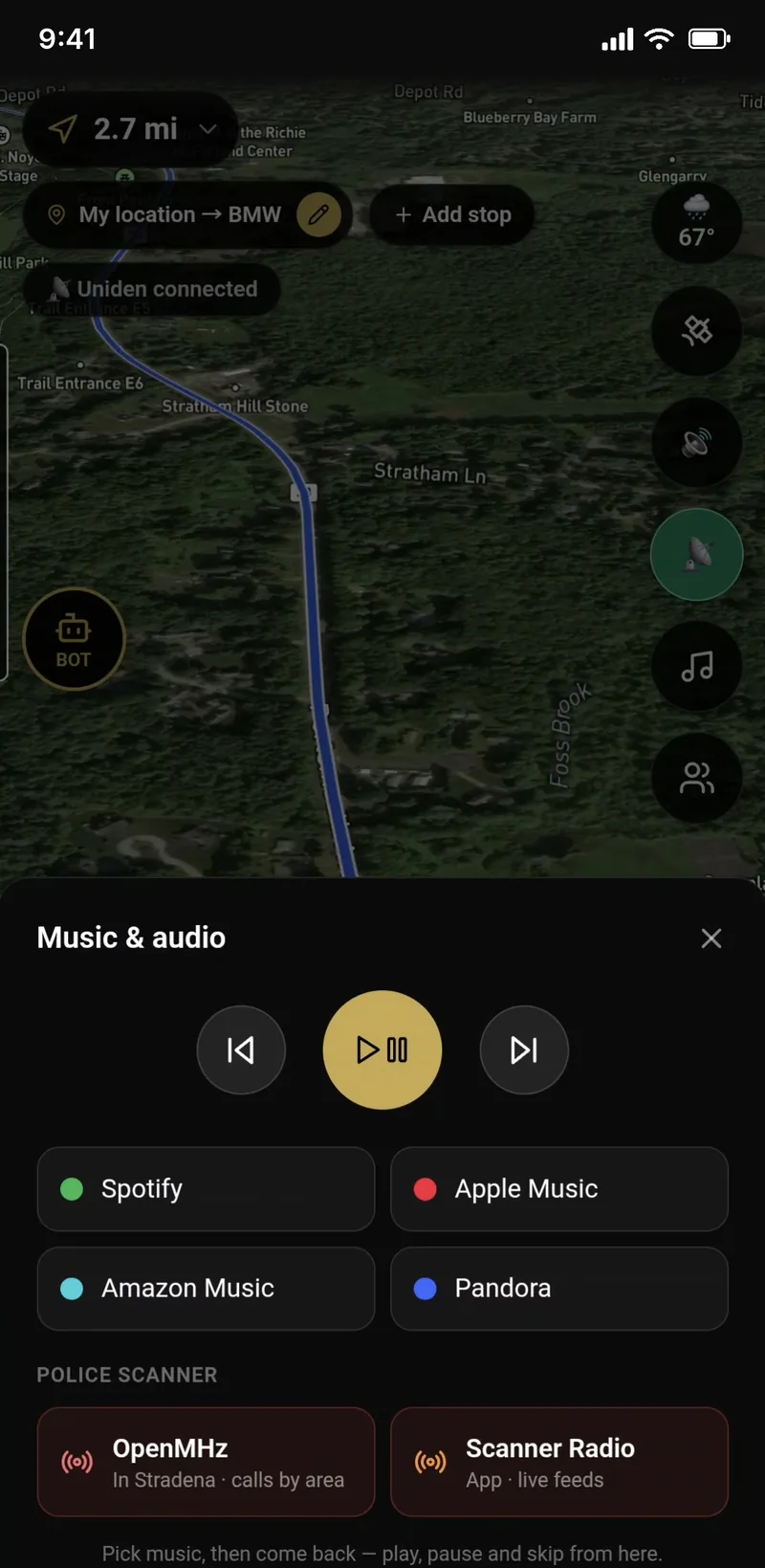
Police scanner radio, next to your music
Local police and emergency scanner feeds one tap away, right next to your Spotify, Apple Music, Amazon Music and Pandora controls — without leaving the map.
- Local scanner feeds from Broadcastify
- Play, pause and skip from the map
Scanner audio is provided by Broadcastify. Availability depends on local feeds.
Time your runs and your laps
0–60, ⅛ and ¼ mile with launch detection, 1-ft rollout and trap speed. On track, every lap is called out loud with your best and the gap to it. Everything saves to your garage.
- Drag timer: 0–60, ⅛ and ¼ mile, trap speed and a level-ground check
- Lap timer: spoken laps, best lap and live delta
- Pair a 10–25 Hz Bluetooth GPS for timeslip-grade results
Closed courses only — drag strips, tracks, airfields and organized events.
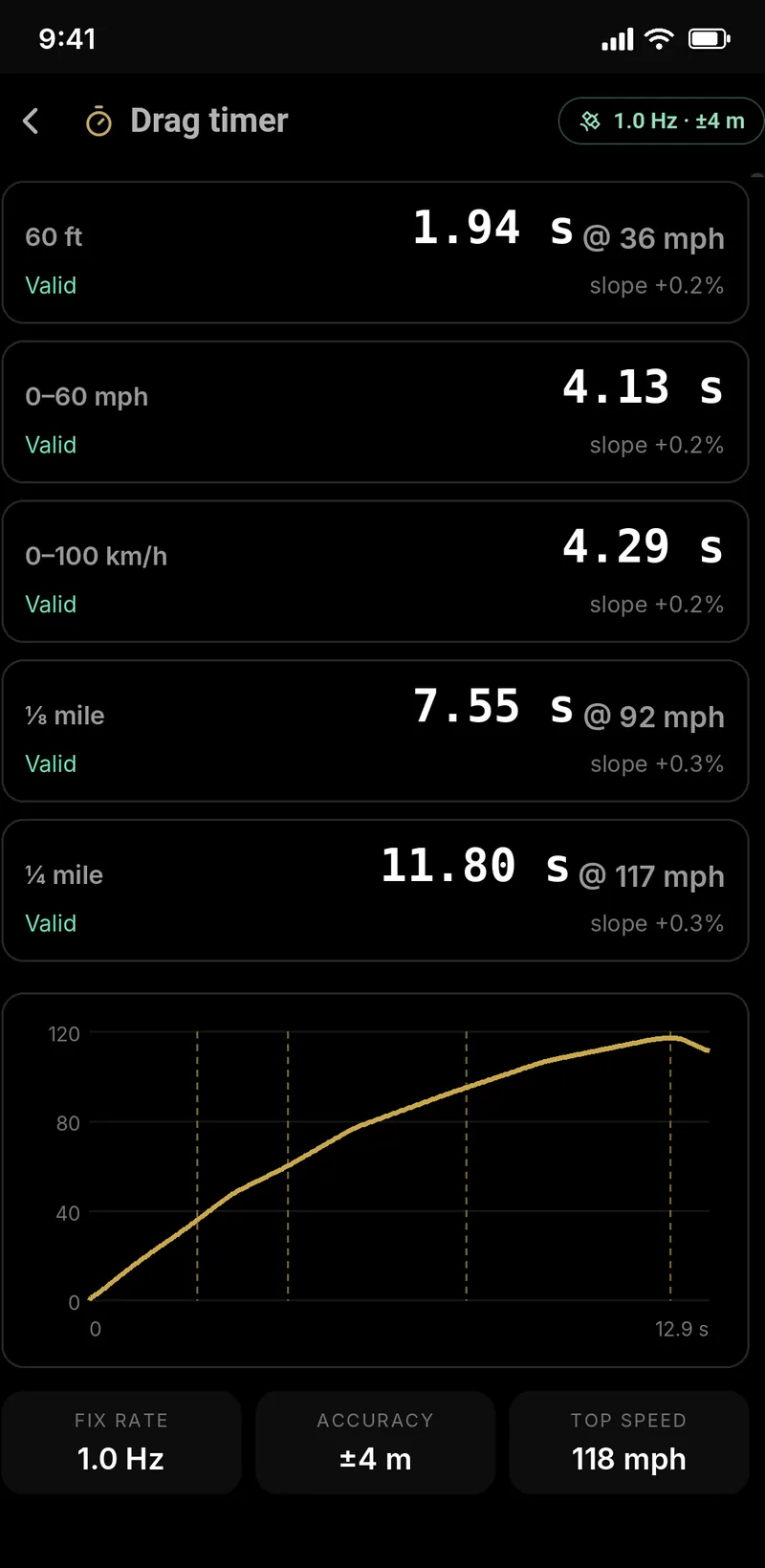
Example session
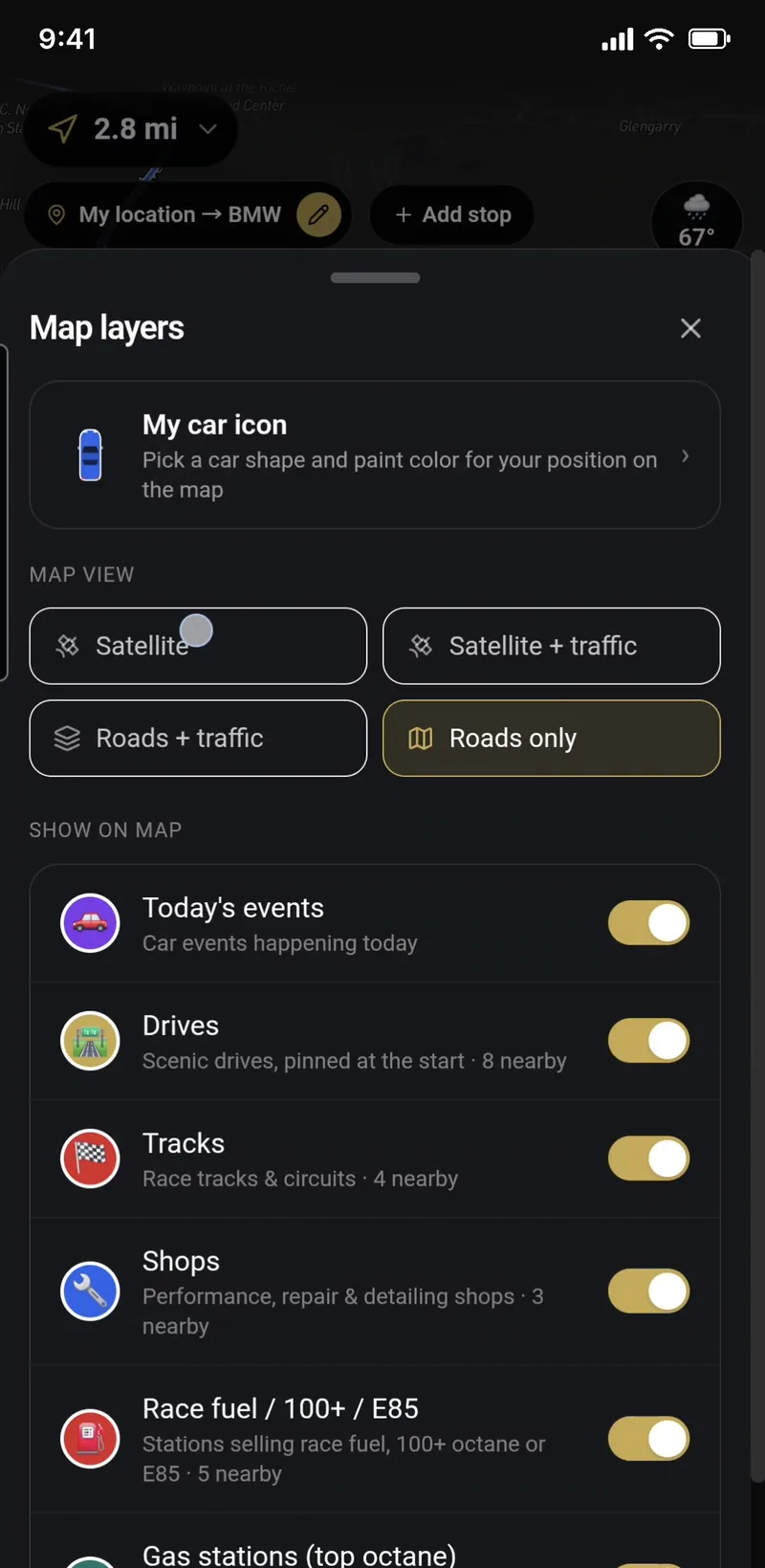
The good stuff, right on your route
The cars & coffee happening this morning, the twisty road two exits away, the track you didn't know was close — Stradena's events, drives, tracks and shops show up as you drive.
- Today's car events, scenic drives, tracks, shops and race fuel
- Tap a pin to drive there or add it as a stop
- Switch each kind on or off in Map layers
Everything in Nav
All free, in the Stradena app.
Stradena BOT, your AI co-pilot
Tap BOT and ask out loud — drive time with traffic, the weather ahead, road closures, food, gas or a hotel nearby, sights on the way, or car events near you. It answers out loud, and one tap adds any place to your route.
Drag timer
Time 0–60, ⅛ mile and ¼ mile with your phone's GPS. It starts on launch, uses a 1-ft rollout like a drag-strip timeslip, records trap speed, checks the run was on level ground, and saves it to your car in the garage. Closed courses only.
Lap timer
Pick the track you're at and your car, then drive. Every pass over the start/finish line is a lap — spoken out loud, with your best lap and the gap to it on screen. Save your laps to your garage and the track's leaderboard. First one at a track sets the line as they cross it.
Turn-by-turn with live traffic
Spoken directions, a clear turn banner you can shrink, and a route that changes color with traffic — blue when it's flowing, yellow when it slows, red when it's jammed. Reroutes on its own if you miss a turn.
Up to three routes
Tap Routes to see your options side by side on the map, each in its own color with the time difference. Pick one and Nav keeps you on it.
Lane guidance & route options
NEWSee which lanes to use before a turn or exit. In Route options, avoid tolls, highways, ferries or unpaved roads.
Voice in 7 languages
Spoken directions in English, Spanish, French, German, Italian, Portuguese or Japanese.
Police & hazard reports
One tap reports police, a hazard, a speed camera or a road problem for every driver nearby. You'll hear about reports ahead of you, and can confirm “still there” or “gone” as you pass. A report lasts an hour, and each confirm adds another hour.
Police aircraft alerts
Live positions of more than 1,000 US state police, highway patrol, sheriff and city police planes and helicopters. When one is flying low within a few miles, you'll get a heads-up.
Radar detector alerts
Pair a Bluetooth radar detector and its alerts show up in Nav — band, signal strength and direction. Real police radar and laser hits are shared with drivers nearby as a radar pin on the map.
Speed & red-light cameras
Fixed speed and red-light cameras across the US, with an alert as you approach one on your route — and the enforced limit when it's known.
Car spots on the map
Shops, race tracks, scenic drives and car events happening today show up as pins as you get close. Tap one to navigate there, start the drive or add it as a stop — and switch each kind on or off in Map layers.
Drive Together
Start a group drive, share a link or 6-letter code, and see your friends live on the map with a group chat — perfect for cruises, convoys and rallies.
Trips
NEWPlan a road trip with a date, a starting point and stops, share the code and drive it together. Everyone on the trip adds and downloads photos in the trip gallery, and you can post the trip publicly for anyone to use.
Speed & speed limit
Your speed next to the posted limit, highlighted in red when you're over.
Weather on the way
Current conditions at a glance, and a warning when rain is ahead on your route.
Police scanner radio
Listen to local police and emergency scanner feeds from Broadcastify without leaving the map — one tap from the music panel.
Music controls
Open Spotify, Apple Music, Amazon Music or Pandora and control playback without leaving the map.
Satellite or dark map
Switch between satellite imagery and a dark map made for night driving. Multi-stop trips, favorites and recent places are one tap away.
On your car's screen
Apple CarPlay and Android Auto, so directions, live traffic, alerts, your favorites and car events show up on your car's screen.
Offline maps
NEWDownload a map region before you lose signal and keep navigating on back roads and in the mountains.
Resume your drive
Closed the app mid-drive? Pick up the route where you left off with one tap.
Track mode
NEWNo destination? Turn on Track mode and Nav leaves a breadcrumb trail as you explore, with your stats and alerts on the way — then save it as a drive.
Shareable drive cards
Turn a saved drive into a card with your route and stats, ready to share.
External GPS receivers
Pair a 10–25 Hz Bluetooth GPS receiver for track-grade drag and lap times. The Stradena GPS receiver works on every plan.
Report a problem
Wrong turn, bad alert or a bug? Report it from the map in a few taps — it reaches our team with everything we need to fix it.
Plus every car event, drive, track and trip
Nav lives inside Stradena — so the shows, meets, track days, scenic drives, off-road trails, road trips, rallies, shops and car videos are a tap away when you're not driving.
- Car shows, meets & track days near you
- Curated scenic drives and 4×4 trails
- Road trips shared by travelers — use any one
- Free GPS checkpoint rallies
- Shops, tracks, clubs & car videos
- Stradena merch
Questions
Is Stradena Nav free?+
Yes. Navigation, live traffic and every alert on this page are free forever in the Stradena app — you just need a free Stradena account. Stradena Pro is an optional upgrade with extras like unlimited offline regions, offline drives and trips, fun and car-aware routes, and full drive history.
Is it on iPhone and Android?+
Yes — Stradena is on the App Store and Google Play, and Nav works with Apple CarPlay and Android Auto.
How is it different from other map apps?+
You get live traffic, crowd alerts, lane guidance and turn-by-turn, plus things made for drivers: police aircraft alerts, your Bluetooth radar detector with hits shared to drivers behind you, police scanner radio, Drive Together with walkie-talkie voice, Trips you plan and drive with friends, free GPS checkpoint rallies, drag and lap timers, and the car shows, tracks, shops and scenic drives around you right on the map.
Does it work without signal?+
Yes. Download a map region for offline use before you head out and Nav keeps working on back roads and in the mountains. Free accounts get one offline region; Stradena Pro makes them unlimited.
Which languages does it speak?+
Spoken directions come in English, Spanish, French, German, Italian, Portuguese and Japanese.
Which radar detectors work?+
Bluetooth detectors: Uniden R4w, R8w and R9w, and the Valentine One Gen2 (with the V1connection LE adapter). Seeing shared radar alerts from other drivers doesn't need a detector at all.
How do police aircraft alerts work?+
Most aircraft broadcast their position publicly. We watch more than 1,000 US law-enforcement planes and helicopters from the FAA registry and alert you when one is flying low nearby. Not every police aircraft broadcasts, so treat it as a heads-up — not a guarantee.
Are radar detectors legal?+
In most of the US, yes, for passenger cars. They're illegal in Virginia, Washington D.C., in commercial vehicles over 10,000 lb and on military bases.
Is it safe to use while driving?+
Set your destination before you go and keep the phone mounted. Nav is designed to be heard, not handled — anything you type should be done by a passenger.
Get Stradena Nav free
Download Stradena and drive — every alert included.
Passenger use only — don't operate your phone while driving. Scanner audio is provided by Broadcastify.